The claim builder is a wizard-type screen where prospective claims are refined into the actual text and relations that will be inserted into the graph. It makes use of the claim extraction algorithm to split text into individual claims and then scores them according to heuristics.
Accessing the builder
The claim builder is probably the only place from which new claims can be added to the graph. Therefore, the question of how to access it is important.
Being prompted from chat
User should, at the very least, be able to access the builder upon being prompted by the chat. If the chat thinks that the user is saying something new, it lets them open the builder.
Making an assertion in the chat
It could be that merely making an assertion, or at least an assertion that meets certain criteria (such as referencing another claim) is enough to enter the claim builder.
Direct access
// ?
Merging the claim builder with the chat
I’m thinking it might be best to have the claim builder be entirely inline in the chat like the node viewer is. This way, you don’t have to have this boundary where you decide whether the user is making a claim or just talking about a claim and hop over into an entirely different screen. I think you might want it to be flexible. I was just thinking that if you let users have direct access to the builder, they may often want to go straight there and say what they want to say. Then the chat would become sort of an annoying appendage for “looking stuff up”. You want to be able to have one, flexible experience, including getting feedback on your claim proposals, getting prompted about duplicate claims, and exploring the graph.
The principle of choosing options
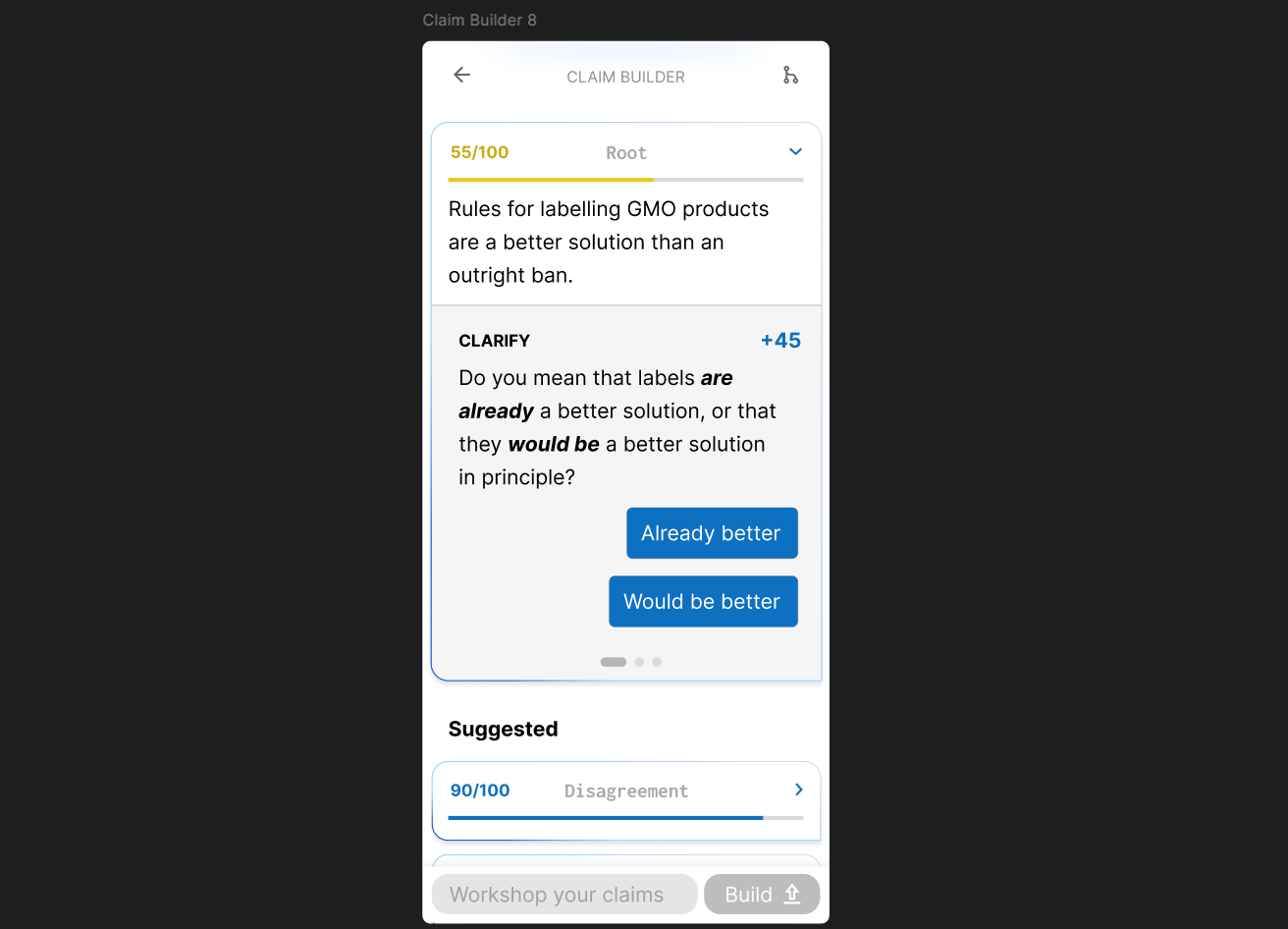
One of the design goals of the claim builder should probably to present users with options for refining their claims and buttons to make the refinements for them. This way, they’ll be able to feel in control of the refinement without having to do as much of the cognitive busywork. Here, for example, the builder provides two paths for clarification, which the user can choose between with buttons.
Checking for duplicate claims
Since users must be able to edit their claims within the builder, the duplication checks must take place inside the builder itself, though duplication checks should probably take place outside as well before prompting the user to enter the builder.
Single-input-multi-output design
It will often be the case that the original user input consists of multiple claims that need to be separated, it might be desirable to have the claim builder have an “input” text section, perhaps editable, which remains throughout the process so that the original intent is not lost and is always visible to the user. Then, there could be an output section that allows the user to add and edit multiple claims that would each be scored. Each claim would have its score displayed directly and could also be expanded to show detailed feedback or tips on how to improve the claim. Once all claims are in the green (or even if some are not), the user could click submit.
Claim splitting
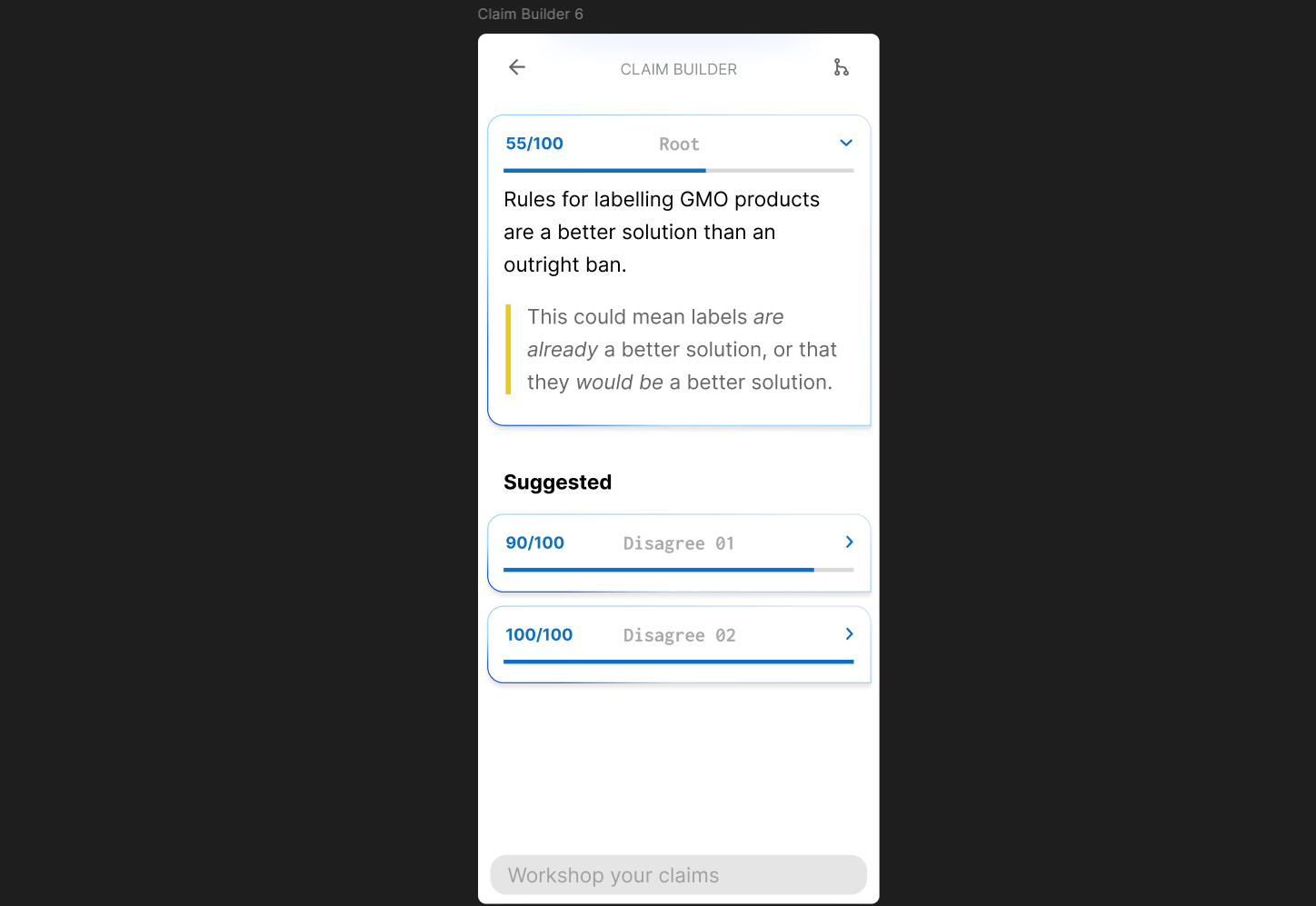
When a user adds a root to the claim builder that Wicker thinks should be multiple claims, one of the suggestions should be to split the claim. In keeping with The principle of choosing options, should be a “split” button to do this for you. Upon clicking it, the root will be simplified and a new claim will be generated, both with higher scores than the original.
Interface requirements scratchpad
- Must still be able to access regular chat input
- Must be able to add and remove references to other claims, probably featuring a dropdown of recently viewed claims
- Should probably start a thread in your main chat which, once the claim is posted, is marked by a piece of interface in the chat similar to Discord’s thread markers.